This will be a three part series covering the EDM Change Management Assistant. I was able to see a demo of this in action and it really changed my opinion on how useful it can be for administrators.
The past several years, working in EDM meant mastering the user interface; knowing the various shortcuts to jump to the screen that you want to be in, where to click, and how to build your request just right. With the Change Management Assistant, some of that knowledge won’t be used as frequently. Instead of navigating, you can just describe what you want.
The Change Management Assistant is a gen-AI chat interface that you can find in your viewpoints. Just click on the “Ask Oracle” button to get started. With this feature you can query nodes, explore metadata, generate and modify requests, perform bulk updates, and ask questions about requests all using natural language. If you don’t have this button, be sure you have enabled the AI features

When I first played around with this feature, I was only interested in finding nodes by their alias. As you may know, the search feature in EDM is not always super helpful when you’re looking for an account with “interest” in the alias. So when I tried a similar search with the Change Management Assistant (that’s a long name that I don’t want to keep typing, so let’s call it HAL) it didn’t bring back what I wanted and I threw up my hands and gave up. I didn’t realize that it could be used to build requests or do some of these other things, so I wanted to give you all a friendly bit of encouragement to keep trying it if that also happened to you.
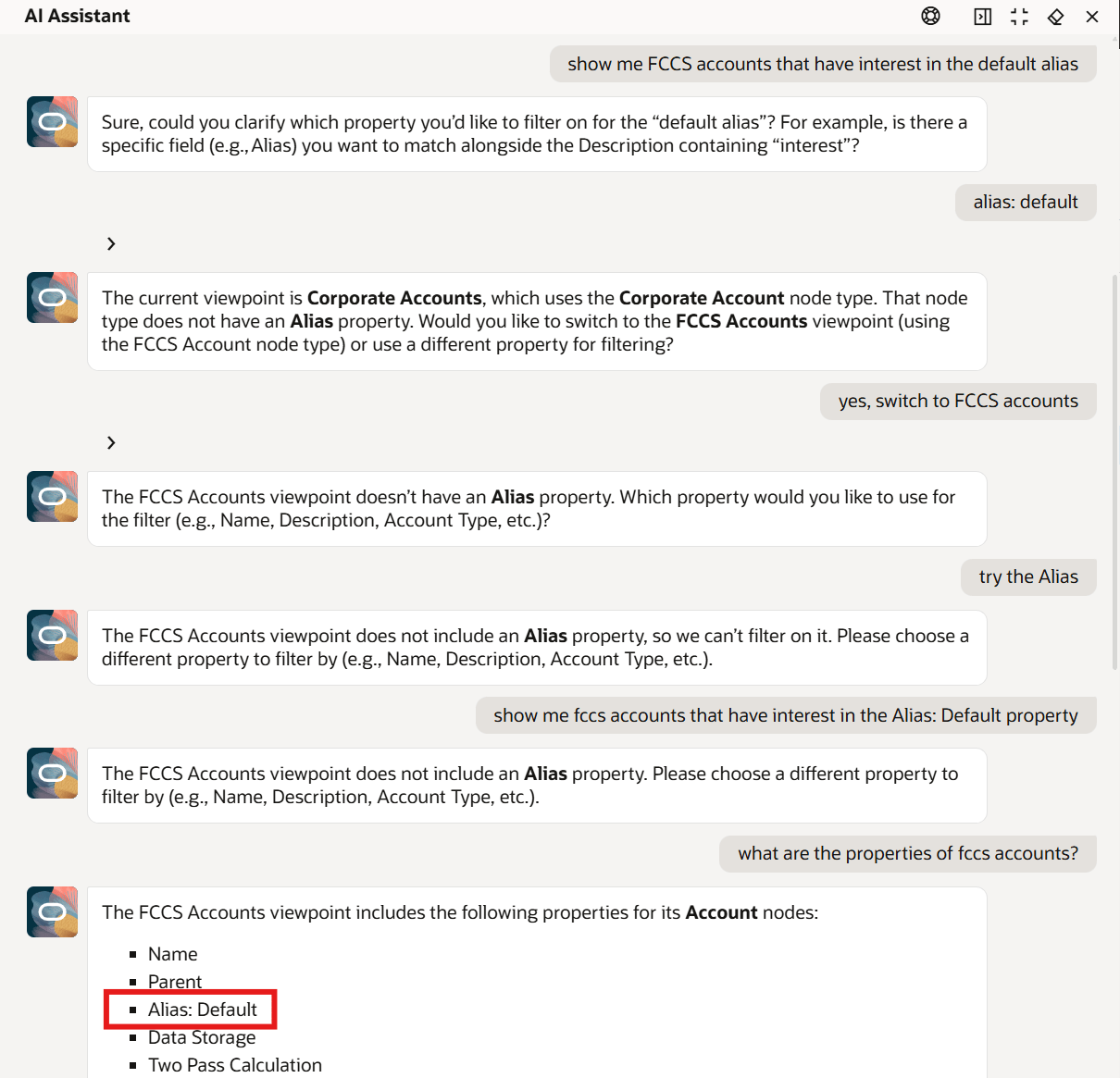
Apparently, I still have some work to do to figure this thing out.
“HAL” isn’t just a convenience feature, it makes EDM more accessible to business admins. And those less technical admins are really the true audience of EDM.
So, what’s going on under the covers? “HAL” is actually dynamically building viewpoint queries based on your conversation. It also has the ability to build requests based on your asks. Once the assistant has created a request for you, it’s possible to jump out of the chat and refine the request manually. The other important thing to note is that this feature currently needs a human-in-the-loop to validate the request and submit it. Perhaps at a future date, we can have the assistant submit requests on our behalf, but for now, it’s safer to double check before letting the AI make hierarchy changes on its own.

Like the other Gen AI feature I mentioned in the last post, there is a prerequisite to enable AI features before you can use the assistant. There are some other guardrails on this feature to be aware of:
- Permissions still apply – the assistant isn’t going to make any request changes that the user doesn’t have permissions to do themselves
- English-first experience – in this early iteration, English is supported but “HAL” may respond in other languages depending on your user preferences Language selection
- AI assistant won’t submit requests, yet
Despite my dated references, “HAL” is an assistant; it’s not autonomous. It’s not going to lock you out of the pod bay doors, as an admin you still have full control. And if you haven’t seen Kubrick’s “2001: A Space Odyssey,” none of that makes any sense to you.
Now that we have covered what the “Ask Oracle” button is all about and what it’s used for, the next post will go into some practical usage examples hopefully with some great success.
Discover more from The EPM Garage
Subscribe to get the latest posts sent to your email.